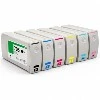
Which can result from various issues, as described below:
If the ink cartridge isn't the issue, try turning off the printer and reconnecting it. Sometimes, this resolves system-related problems.
Ensure that the printer is placed in an appropriate location. Incorrect placement can also cause malfunctioning.
If the printer still doesn't work, turn it off, remove the ink cartridge, and reinstall it properly. If the issue persists, check the printer driver and consider reinstalling it.
If none of the above solutions work, it's possible that the metal plate on the cartridge has poor contact due to prolonged non-use. In this case, remove the cartridge and clean the metal plate with an eraser until it's shiny. Reinstall the cartridge, and the problem should be resolved.
Advantages of HP Series Printers
Versatility: HP series printers offer a wide range of functions, including printing, copying, scanning, and faxing. This versatility allows users to complete multiple tasks with one device, eliminating the need for additional equipment.
Consistent Quality: HP series printers are renowned for their high-quality output and reliable supplies. Additionally, they provides excellent technical support and warranty services.
Ease of Use: HP series printers typically feature user-friendly control panels and menus, simplifying operations for users.
Cost Savings: Many HP models have reasonably priced supplies, and some can use high-capacity ink cartridges.
This allows users to use their supplies for longer periods, reducing overall costs.