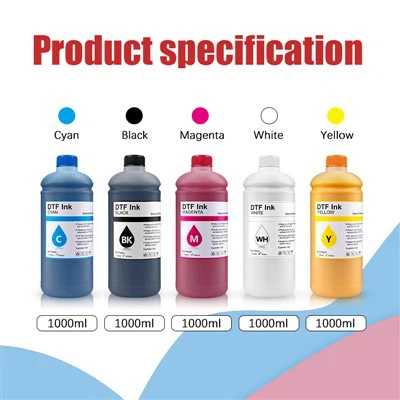
Using DTF (Direct-to-Film) ink with an Epson L1800 printer can yield high-quality prints on various substrates. However, after continuous use, the transfer roller of the printer can accumulate ink residues, which may affect print quality and the overall performance of the printer. In this blog, as a supplier of DTF ink for Epson L1800, I'll share some effective methods on how to clean the transfer roller.
Why Cleaning the Transfer Roller is Crucial
The transfer roller plays a vital role in the DTF printing process. It transfers the printed image from the film onto the final substrate. Over time, DTF ink can build up on the surface of the roller. This build - up can cause uneven ink transfer, resulting in blurry or streaky prints. Additionally, excessive ink on the roller can also lead to mechanical issues and reduce the lifespan of the roller.
Tools and Materials Needed
Before you start cleaning the transfer roller, gather the following tools and materials:
- Lint - free cloth: This is essential for wiping the roller without leaving behind fibers that could further contaminate the roller.
- Isopropyl alcohol: A common cleaning agent that can effectively dissolve DTF ink residues. Make sure to use a high - percentage (at least 70%) isopropyl alcohol.
- Soft brush: A soft - bristled brush can be used to gently remove any stubborn ink particles from the roller surface.
- Gloves: To protect your hands from the alcohol and ink.
Step - by - Step Cleaning Process
Step 1: Prepare the Printer
First, turn off the Epson L1800 printer and unplug it from the power source. This is a safety precaution to prevent any electrical hazards during the cleaning process. Open the printer cover to access the transfer roller. The transfer roller is usually located near the printing head area.
Step 2: Remove Loose Ink Particles
Put on your gloves and use the soft brush to gently brush the surface of the transfer roller. This will help to remove any loose ink particles or debris. Be careful not to apply too much pressure as it could damage the roller surface. Brush in a single direction to avoid spreading the ink around.
Step 3: Apply Isopropyl Alcohol
Moisten a lint - free cloth with isopropyl alcohol. Do not soak the cloth as excessive alcohol can drip into the printer and damage other components. Gently wipe the surface of the transfer roller with the alcohol - soaked cloth. Start from one end of the roller and move towards the other end in a smooth, continuous motion. Make sure to cover the entire surface of the roller.
Step 4: Remove Stubborn Ink Residues
If there are stubborn ink residues that are not removed by the initial wiping, you can use the soft brush again. Dip the brush in isopropyl alcohol and gently scrub the affected areas. Be patient and take your time to ensure that all the ink is removed. Avoid using abrasive materials as they can scratch the roller surface.
Step 5: Dry the Roller
After cleaning, use a dry lint - free cloth to wipe the roller and remove any remaining alcohol. Let the roller air - dry for a few minutes before closing the printer cover. Make sure the roller is completely dry to prevent any moisture from affecting the next printing job.
Step 6: Reassemble and Test
Once the roller is dry, close the printer cover and plug the printer back into the power source. Turn on the printer and run a test print to check if the print quality has improved. If there are still issues, you may need to repeat the cleaning process.

Maintenance Tips
- Regular cleaning: Make it a habit to clean the transfer roller after a certain number of prints. This will prevent excessive ink build - up and ensure consistent print quality.
- Use high - quality DTF ink: As a supplier of Dtf Direct-to-film Ink For Inkjet Printer, I recommend using high - quality DTF ink for your Epson L1800. High - quality ink is less likely to leave stubborn residues on the transfer roller.
- Store ink properly: Keep your DTF ink in a cool, dry place. Exposure to heat and humidity can cause the ink to thicken and form clumps, which can then transfer to the roller.
Our DTF Ink Products
We offer a wide range of DTF ink products suitable for Epson L1800 printers. Our 1000ML Film Transfer DTF Fluorescent Textile Ink provides vibrant and long - lasting prints on textile materials. The High Quality 1000Ml Megaprint Dtf Printing Ink Heat Transfer is another popular choice, known for its excellent color saturation and fast - drying properties.
Contact Us for Purchase
If you are interested in our DTF ink products or have any questions about cleaning the transfer roller of your Epson L1800 printer, feel free to contact us. We are always ready to provide you with professional advice and support. Whether you are a small - scale printer or a large - scale printing business, we can offer you the right DTF ink solutions.
References
- "Epson L1800 User Manual"
- "DTF Printing Technology Guide"
- "Ink Chemistry and Cleaning Techniques"