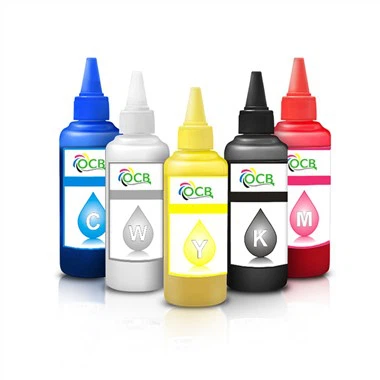
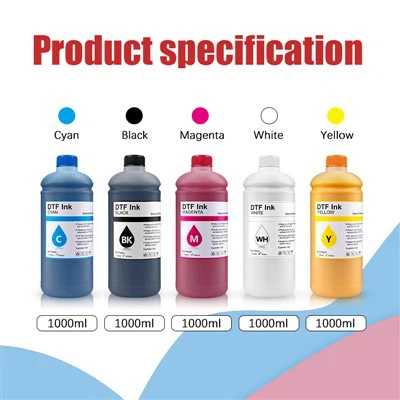
As a supplier of DTF ink for Epson L1800, I often get asked whether this type of ink can be used for printing on canvas. This is a valid question, especially considering the diverse applications of both the printer and the canvas material. In this blog, I'll delve into the technical aspects, advantages, limitations, and practical considerations of using DTF ink for Epson L1800 on canvas.

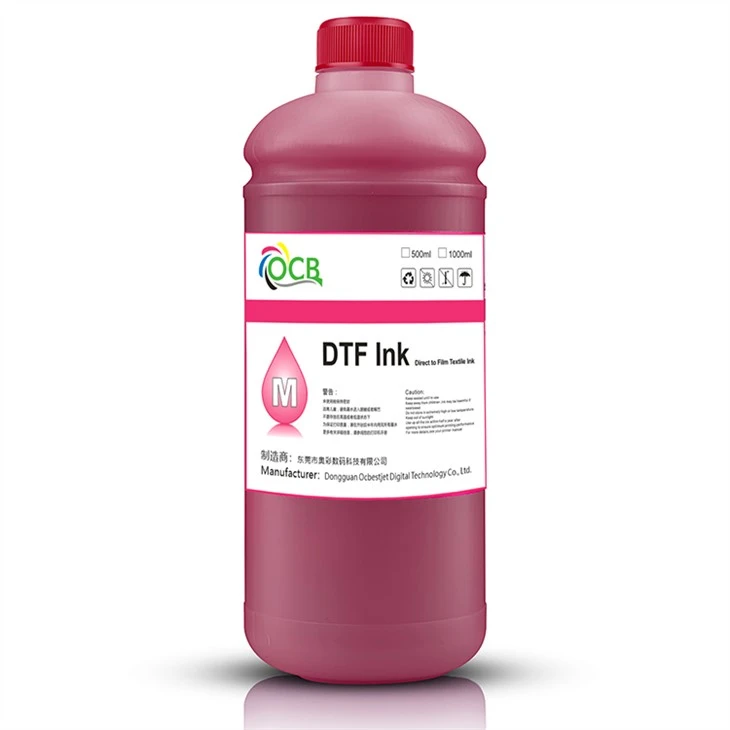
Understanding DTF Ink for Epson L1800
DTF (Direct to Film) ink is specifically formulated for use with Epson L1800 printers. These inks are designed to work in harmony with the printer's printhead technology, ensuring high - quality prints with vibrant colors and sharp details. The Epson L1800 is a well - known wide - format inkjet printer, prized for its versatility and ability to handle different printing tasks.
The DTF ink for Epson L1800 is water - based, which makes it relatively eco - friendly compared to some other types of inks. It also has a high color saturation, which means it can produce vivid and long - lasting prints. However, the performance of the ink can be influenced by various factors, such as the type of media it is printed on.
Printing on Canvas with DTF Ink
Canvas is a popular material for printing, especially in the art and photography industries. It offers a unique texture and appearance that can enhance the visual appeal of printed images. When it comes to using DTF ink for Epson L1800 on canvas, there are several factors to consider.
Compatibility
The first and most important factor is compatibility. The DTF ink for Epson L1800 is primarily designed for use on transfer films, which are then used to transfer the image onto the final substrate. While it is possible to print directly on canvas, the ink may not adhere as well as it does on transfer films. This is because canvas has a porous surface, and the ink may be absorbed too quickly, leading to a loss of color intensity and sharpness.
However, with the right preparation and treatment of the canvas, it is possible to achieve good results. Some canvases come pre - treated with a coating that helps the ink adhere better. These pre - treated canvases are often referred to as "inkjet - ready" canvases. Using such canvases can significantly improve the quality of the prints.
Print Quality
When printing on canvas with DTF ink for Epson L1800, the print quality can be affected by several factors. The resolution of the printer, the quality of the ink, and the type of canvas all play a role. Higher - resolution prints will generally look better, but they may also take longer to print.
The DTF ink for Epson L1800 is capable of producing high - resolution prints, but the canvas surface can sometimes cause the ink to spread or bleed. This can result in a loss of sharpness and detail. To minimize this, it is important to choose a high - quality canvas with a smooth surface.
Durability
Another important consideration is the durability of the prints. Canvas is a relatively sturdy material, but the longevity of the prints depends on the quality of the ink and the treatment of the canvas. DTF ink for Epson L1800 is designed to be fade - resistant, but exposure to sunlight and other environmental factors can still cause the colors to fade over time.
To improve the durability of the prints, it is recommended to apply a protective coating to the canvas after printing. This can help to protect the ink from UV rays, moisture, and other elements.
Advantages of Using DTF Ink for Epson L1800 on Canvas
Despite the challenges, there are several advantages to using DTF ink for Epson L1800 on canvas.
Cost - Effectiveness
DTF ink for Epson L1800 is generally more cost - effective than some other types of inks. This makes it a great option for those who want to print on canvas without breaking the bank. Additionally, the Epson L1800 is a relatively affordable printer, which further reduces the overall cost of the printing process.
Versatility
The Epson L1800 is a versatile printer that can handle a wide range of printing tasks. Using DTF ink on canvas allows for greater flexibility in terms of the types of images and designs that can be printed. This makes it a popular choice for artists, photographers, and designers.
Color Vibrancy
DTF ink for Epson L1800 is known for its high color saturation and vibrancy. When printed on canvas, the colors can really pop, creating a visually stunning effect. This is especially important for art and photography prints, where color accuracy and vibrancy are crucial.
Limitations and Challenges
While there are advantages, there are also some limitations and challenges associated with using DTF ink for Epson L1800 on canvas.
Adhesion Issues
As mentioned earlier, the porous nature of canvas can cause adhesion issues with the DTF ink. This can result in the ink flaking or peeling off over time. To address this, it is important to use a pre - treated canvas or apply a primer to the canvas before printing.
Drying Time
DTF ink for Epson L1800 can take longer to dry on canvas compared to other media. This is because the canvas absorbs the ink, and the water in the ink needs to evaporate. To speed up the drying process, it is recommended to use a heat gun or a drying rack.
Color Consistency
Achieving consistent color across multiple prints can be a challenge when using DTF ink on canvas. This is because the canvas surface can vary in terms of porosity and texture, which can affect the way the ink is absorbed. To ensure color consistency, it is important to test the ink on a small area of the canvas before printing the entire image.
Practical Considerations
If you are considering using DTF ink for Epson L1800 on canvas, here are some practical considerations:
Canvas Selection
Choose a high - quality canvas that is suitable for inkjet printing. Look for canvases that are pre - treated or have a smooth surface. You can find more information about different types of canvases and their suitability for inkjet printing on Printer Ink | Inkjet Ink |Ink Usage in Inkjet Printers For Epson,canon,HP,brother.
Ink Quality
Use high - quality DTF ink for Epson L1800 to ensure the best results. You can find our Ocbestjet DTF Ink For Epson L1800 i3200 4720 and 250Ml Oeko Tex Custom Producer Manufacturers ultra Bright No Clog DTF Ink For Epson L1800 Inkjet Printer which are specifically formulated for Epson L1800 printers.
Printer Settings
Adjust the printer settings according to the type of canvas you are using. This may include adjusting the print resolution, ink density, and print speed. Experiment with different settings to find the best combination for your specific needs.
Conclusion
In conclusion, while using DTF ink for Epson L1800 on canvas has its challenges, it is definitely possible to achieve high - quality prints with the right approach. By choosing the right canvas, using high - quality ink, and adjusting the printer settings, you can create stunning prints on canvas.
If you are interested in purchasing DTF ink for Epson L1800 for your canvas printing needs, we are here to assist you. Our team of experts can provide you with detailed information and guidance on the best products for your requirements. Contact us for more information and to start discussing your procurement needs.
References
- "Inkjet Printing on Canvas: A Technical Guide" - Various industry publications
- "Epson L1800 User Manual" - Epson official documentation
- "DTF Ink Technology and Applications" - Research papers on inkjet printing technology