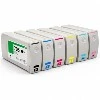
The ways to restore the printer to normal after adding ink are: restarting the printer, cleaning the printer nozzle, etc.
1. Restart the printer
Sometimes, the printer will not work properly after refilling, and it may be a temporary failure, and you only need to restart the printer once to recover it. Generally speaking, this method can solve a lot of such printer problems.
2. Clean the printer nozzle
If the printer hasn't been used for a long time or the ink has dried up, you may need to clean the printer printhead. This is due to the fact that the printhead can become very dry and clog when the ink is not in use. This is where the printer printhead needs to be cleaned. You can use the printer's built-in cleaning function or use some special cleaning solution to clean the printer printhead.
Introduction to how to use the printer correctly:
1. The printing environment can improve the work efficiency of personnel, and a good environment can also extend the service life of the printer. When the printer is printing, there will always be a lot of waste pictures around it, and the surrounding pictures should be cleared in time to ensure that the printer works in a good environment.
2. Dust has a very "fatal" injury for precision instruments, and printers are no exception. Therefore, it is very important to clean the dust on the printer. In daily use, try to avoid opening the cover of the printer to work, which can minimize the possibility of dust entering the printer, and wipe the dust on the surface of the printer every day. Ask an engineer door to door to maintain your printer on a regular basis can make your printer last longer.

Here we strong recommend above item...Printhead Cleaner