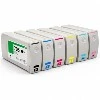
A:Steps as below displayed
Prepare the Printer:
Turn off the printer by flipping the power switch located at the back or side of the printer.
Open the printer cover and remove all ink cartridges from their slots.
Eject the Faulty Printhead:
Press and hold the "Stop" button on the printer for about 3-5 seconds. This action will initiate the printhead ejection process.
Gently pull out the printhead that needs to be replaced. Be careful not to touch the printhead surface or any electrical contacts.
Prepare the New Printhead:
Take out the new printhead from its packaging. Ensure that you handle it by its edges to avoid touching the printhead surface or contacts.
Check that the new printhead is compatible with your Canon Pro9000 model.
Install the New Printhead:
Align the new printhead with the printhead slot, making sure that the electrical contacts face towards the printer.
Gently push the printhead into the slot until it clicks into place. Do not force the printhead as this can damage it.
Replace the Ink Cartridges:
Reinsert all the ink cartridges into their respective slots. Make sure they are properly aligned and securely in place.
Close the Printer Cover:
Carefully close the printer cover. Ensure it latches securely.
Initialize the Printhead:
Turn on the printer. The printer will automatically detect the new printhead and may initiate a priming process. This can take several minutes to complete.
Follow any on-screen instructions to complete the initialization process.
Completing these steps, your Canon Pro9000 printer should be ready to use with the new printhead. Always refer to your printer's manual for specific instructions and safety guidelines. Regular maintenance and timely printhead replacement can help ensure optimal printer performance.