Optimizing the printing process with DTF ink for the Epson L1800 can significantly enhance the quality and efficiency of your printing operations. As a trusted supplier of DTF ink for the Epson L1800, I've witnessed firsthand the transformative impact that high - quality ink can have on the final print. In this blog, I'll share some valuable insights and practical tips to help you get the most out of your DTF printing with the Epson L1800.
Understanding DTF Ink and the Epson L1800
DTF (Direct to Film) printing is a relatively new and innovative printing technology that allows for high - resolution prints on various fabrics. The Epson L1800 is a popular choice among printers due to its high - volume ink tank system and excellent print quality. When combined with the right DTF ink, it can produce vibrant, long - lasting prints.
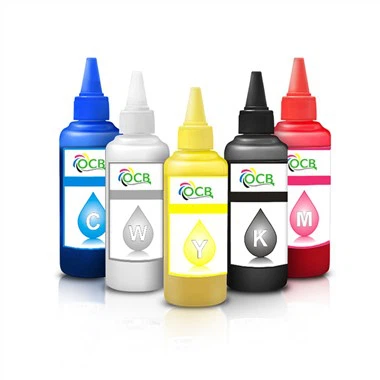
The DTF Transfer Ink we offer is specifically formulated to work seamlessly with the Epson L1800. It has a balanced viscosity that ensures smooth flow through the printer's nozzles, reducing the risk of clogging. The ink also has excellent color saturation, which means your prints will have vivid and true - to - life colors.


Preparing Your Printer
Before you start printing with DTF ink, it's crucial to prepare your Epson L1800 properly. First, make sure the printer is clean. Dust and debris can cause blockages in the nozzles, leading to poor print quality. You can use a soft, lint - free cloth to clean the exterior of the printer and the print head.
Next, perform a nozzle check. This will help you identify if any of the nozzles are clogged. If you notice any missing or faint lines in the test pattern, you may need to perform a head cleaning. Most Epson printers have a built - in head cleaning function that can be accessed through the printer's control panel or software.
It's also important to calibrate your printer regularly. Calibration ensures that the colors in your prints match the colors on your screen as closely as possible. You can use the printer's built - in calibration tools or third - party calibration software for more accurate results.
Choosing the Right Film
The choice of film is just as important as the ink when it comes to DTF printing. A good DTF film should have a smooth surface to allow for easy ink transfer and a high - temperature resistance to withstand the heat during the transfer process.
Our 250ML Film Transfer DTF Textile Ink is designed to work with a variety of high - quality DTF films. When selecting a film, consider the type of fabric you'll be printing on. For example, if you're printing on a stretchy fabric, you'll need a film that can stretch without cracking.
Printing Settings
Optimizing your printing settings is key to achieving the best results with DTF ink on the Epson L1800. Start by selecting the appropriate print mode. For high - quality prints, choose a high - resolution print mode. However, keep in mind that this may increase the printing time.
Adjust the ink density according to the requirements of your print. If you're printing a design with a lot of solid colors, you may need to increase the ink density to ensure full coverage. On the other hand, if you're printing a design with fine details, a lower ink density may be more appropriate to prevent smudging.
It's also important to set the correct paper size and orientation. Make sure the film is loaded correctly into the printer to avoid misalignment and wasted prints.
Curing and Transfer
After printing, the next step is curing the ink on the film. Curing is a process that involves heating the ink to make it dry and adhere to the film. You can use a heat press or a curing machine for this purpose. The curing temperature and time will depend on the type of ink and film you're using.
Once the ink is cured, it's time to transfer the design from the film to the fabric. Place the film with the printed side down on the fabric and apply heat and pressure using a heat press. The heat and pressure will cause the ink to transfer from the film to the fabric. Make sure to follow the recommended heat press settings for the best results.
Maintenance and Troubleshooting
Regular maintenance of your Epson L1800 is essential to keep it running smoothly and to ensure consistent print quality. After each printing session, clean the print head and the nozzles to prevent ink from drying and clogging. You can use a cleaning solution specifically designed for Epson printers.
If you encounter any issues during the printing process, such as clogged nozzles or poor color quality, don't panic. First, refer to the printer's user manual for troubleshooting tips. If the problem persists, you can contact our technical support team. We have a team of experts who are well - versed in DTF printing with the Epson L1800 and can provide you with solutions to your problems.
Using High - Capacity Ink
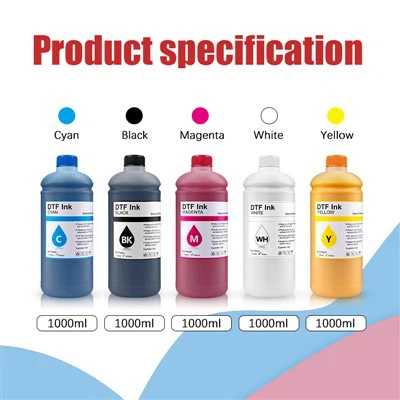
For large - scale printing projects, our High Quality 1000Ml Megaprint Dtf Printing Ink Heat Transfer is an excellent choice. The high - capacity ink bottle reduces the frequency of ink refills, allowing you to focus on your printing tasks without interruption.
The 1000ml ink bottle is also cost - effective in the long run. You'll save money on ink purchases, especially if you're printing a large number of designs. And since our ink is of high quality, you'll get consistent and excellent print results every time.
Conclusion
Optimizing the printing process with DTF ink for the Epson L1800 requires attention to detail, from printer preparation to curing and transfer. By following the tips and guidelines outlined in this blog, you can achieve high - quality, long - lasting prints.
As a supplier of DTF ink for the Epson L1800, we're committed to providing you with the best products and support. If you have any questions about our DTF ink or need advice on optimizing your printing process, don't hesitate to reach out. We're here to help you take your DTF printing to the next level. Whether you're a small - scale printer or a large - scale printing business, our DTF ink can meet your needs. Contact us today to start a conversation about how we can work together to enhance your printing operations.
References
- Epson L1800 User Manual
- DTF Printing Industry Best Practices Guides
- Technical Documentation of Our DTF Inks