Canon QY6-0083 Remanufactured Printhead: Restoring 6-Color Photo Gray Precision & Eliminating Error 1403/B200 on PIXMA iP8700, MG6300, MG7100, MG7500 & MG7700 Series
By Pro Imaging Hardware Engineering Group | Published for Repair Technicians & Photo Print Centers
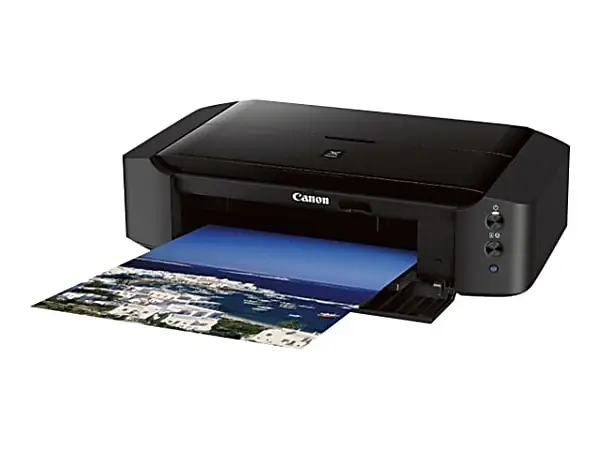
In the realm of desktop photographic and A3+ wide-format fine-art crafting, the Canon PIXMA iP8720, iP8750, MG7720, MG7520, and MG7120 series occupy a revered position.
Distinguished by their sophisticated 6-color individual ink system incorporating a dedicated Photo Gray (GY) channel, these flagship machines deliver gallery-quality monochrome tonal transitions, eliminating color casting in black-and-white portraits and producing vibrant, borderless 13"x19" (A3+) exhibition prints.
However, after years of heavy duty or periods of ink drying, printheads face critical hardware breakdowns:
Fatal Thermal & Circuit Errors: The dreaded Canon Error Code 1403 ("The type of print head is incorrect") and Error Code B200 / B204 ("Printer error has occurred"), signaling micro-circuit shorts across the thermal heater elements.
Missing Photo Gray & Fine Lines: Dried dye residue permanently clogging the sub-micron Photo Gray (GY) and Pigment Black (PGBK) micro-nozzles, resulting in severe banding across skin tones and neutral gradients.
Prohibitive OEM Replacement Costs: Sourcing rare original Canon printheads often costs more than the secondary market value of the printer, forcing users to unnecessarily scrap high-end A3+ imaging engines.
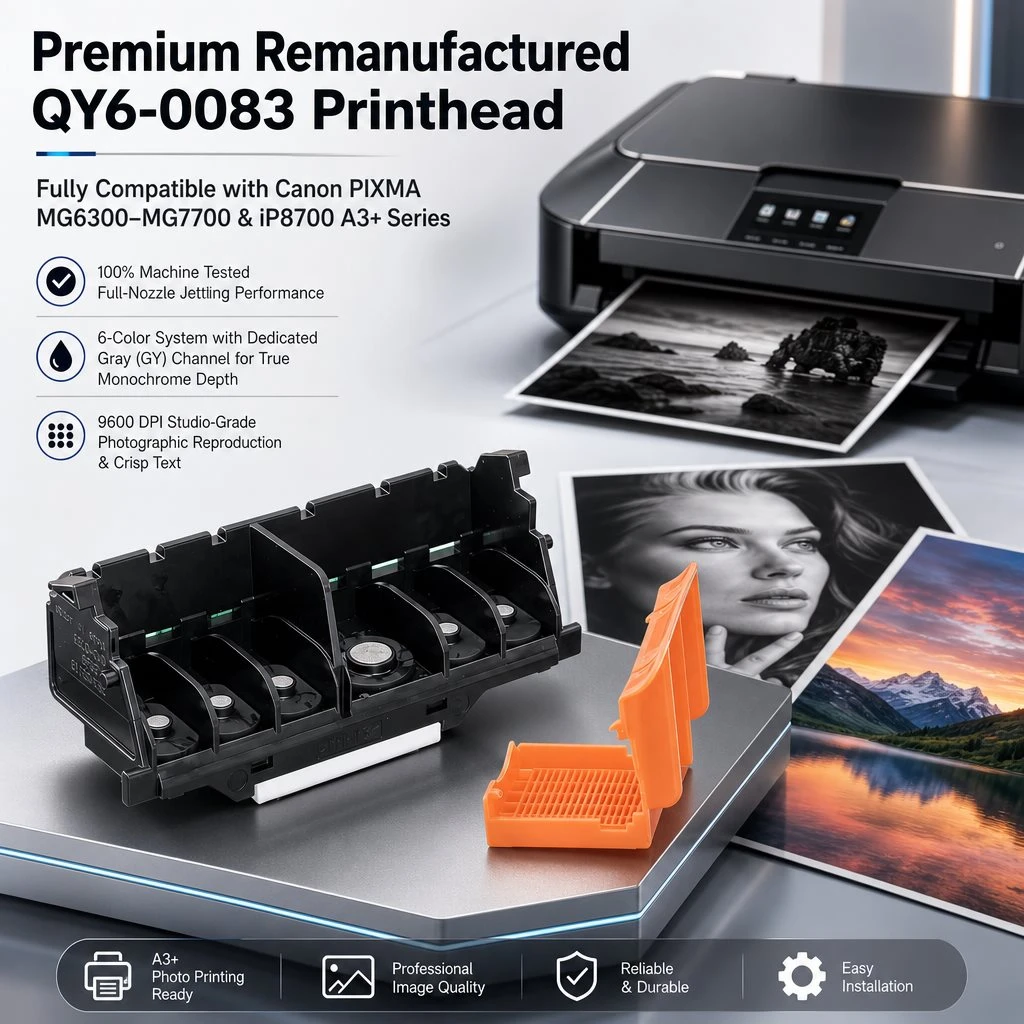
The Engineered Solution: Ocbestjet QY6-0083 100% Tested Remanufactured Printhead
Ocbestjet delivers the industry-trusted Canon QY6-0083 (QY6-0083-000) 6-Color Remanufactured Printhead, engineered to restore original factory acoustic drop ejection and exact colorimetric balance across all 6 channels.
1. Dedicated Photo Gray (GY) Channel Optimization
The inclusion of the dedicated Photo Gray nozzle array allows the QY6-0083 to output smooth monochrome tonal gradations without relying on composite color mixing (Cyan + Magenta + Yellow). This eliminates warm or cool color casts in black-and-white portraiture, rendering shadow details and highlights with studio-level clarity.
2. Comprehensive Defect Resolution for Error 1403, 1401 & B200
Every QY6-0083 core undergoes robotic micro-soldering inspection and circuit impedance testing:
Overheating Protection: Eliminates resistance imbalances that trigger thermal cutoff error B200 / B203 / B204.
Gold-Plated Contact Interface: Refurbished contact pads ensure instant logic-board communication, fixing Error 1403 ("Print head is incorrect") and Error 1401 ("Print head not detected").
3. Rigorous 4-Stage Remanufacturing Process
Stage 1 (Ultrasonic Micro-Cavitation): Multi-frequency chemical bath dislodges microscopic pigment particles from the internal ink manifolds.
Stage 2 (Pressure Jet De-aeration): Reverse-flow vacuum flush removes trapped air micro-bubbles to prevent thermal dry firing.
Stage 3 (Full Test Pattern Printing): 100% actual test prints generated on dedicated test benches, verifying flawless PGBK grid lines and full-density CMYK+GY test strips.
Stage 4 (Airtight Protective Sealing): Treated with inert anti-corrosive moisturizing fluid and capped with a custom silicone nozzle clip in a vacuum bag.
Customer Application Scenarios
Commercial Photography & Fine-Art Crafter Studio
Equipment: 3x Canon PIXMA iP8720 A3+ Wireless Photo Printers.
Operational Challenge: Printhead nozzle failure on the Photo Gray (GY) channel caused noticeable magenta banding across fine-art portrait orders, while Error B200 paralyzed output during peak holiday calendar production.
Solution & Value: Installed Ocbestjet QY6-0083 remanufactured printheads. Restored flawless A3+ borderless monochrome photo output immediately, saving over $800 in new printer replacement costs.
Product Specifications Table
| Parameter | Technical Details |
|---|---|
| Product Model | Canon QY6-0083 (QY6-0083-000) Remanufactured Printhead |
| Printhead Architecture | 6-Color FINE Thermal Inkjet Nozzle Assembly |
| Nozzle Channels | PGBK (Pigment Black), CLI-BK, CLI-C, CLI-M, CLI-Y, CLI-GY (Photo Gray) |
| Applicable Models | Canon PIXMA iP8720, iP8750, iP8780, MG7720, MG7520, MG7120, MG6320 |
| Error Code Fixes | Error 1403, Error B200, Error B203, Error B204, Error 1401 |
| Packaging Spec | Anti-static Vacuum Bag + Silicone Nozzle Clip + Neutral Kraft Box |
| Testing Standard | 100% On-Machine Nozzle Check Pattern Verified Before Packing |
| Defect Rate | Strict QC standard with defect rate < 0.5% |
| Warranty Policy | 1:1 Free Replacement for any non-human manufacturing fault |
Frequently Asked Questions (FAQ)
Q1: How do I resolve Error B200 or 1403 after replacing the QY6-0083 printhead?
Power down the printer and unplug the power cord for 10 minutes to discharge motherboard capacitors. Install the new QY6-0083 printhead along with clean, fully functioning ink cartridges, close the cover, and power on. Run one standard printhead alignment and nozzle check cycle.
Q2: Why is the dedicated Photo Gray (GY) channel essential for photo printing?
The Photo Gray nozzle array provides neutral mid-tone and shadow ink density without needing to blend Cyan, Magenta, and Yellow dyes. This prevents color shifts under varying lighting and delivers deep, neutral-density black-and-white art prints.
Q3: What are the wholesale terms and MOQs for printer repair shops?
We support low minimum order quantities (MOQ starting from 1–5 units for sample testing) with tiered wholesale pricing for maintenance depots, refurbishers, and international distributors. Fast dispatch via DHL/FedEx/UPS.
Revitalize Your Canon Pro Photo Equipment Today